
Marketing Media Add-Ons
in Memphis, TN
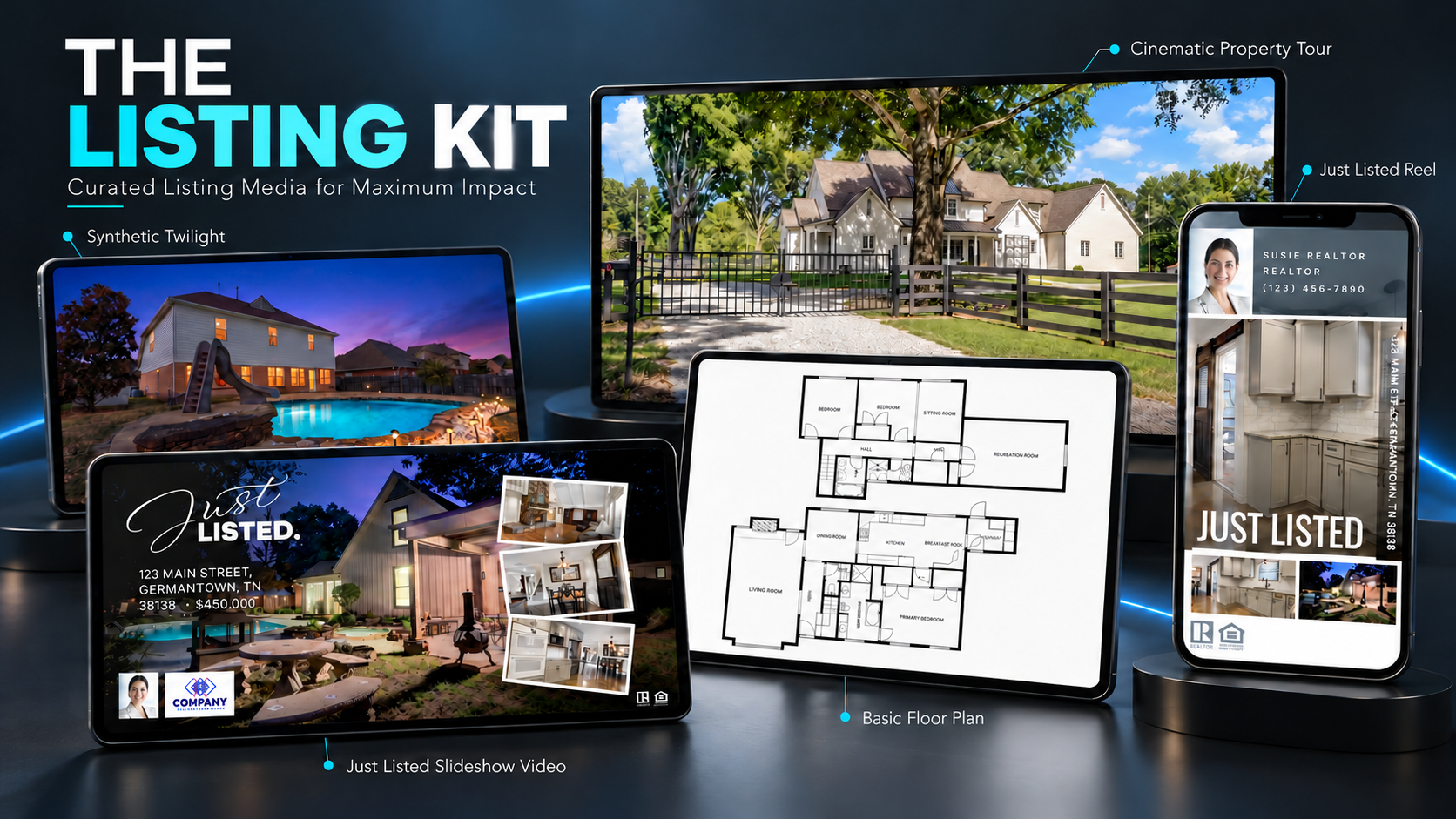

Photography shows the property’s features, Matterport 3D tours explain its spaces, and aerial photography provides the surrounding context. Marketing media add-ons build on that work by showing another perspective, clarifying the layout, or giving you additional ways to share the property.
Axiom360HD offers cinematic property tours, reels, slideshows, twilight photography, synthetic twilights, virtual staging, floor plans, and the Social Media Marketing Kit throughout Greater Memphis. Choose the services that address what viewers still need to see or understand.
How Add-Ons Support Your Property Media
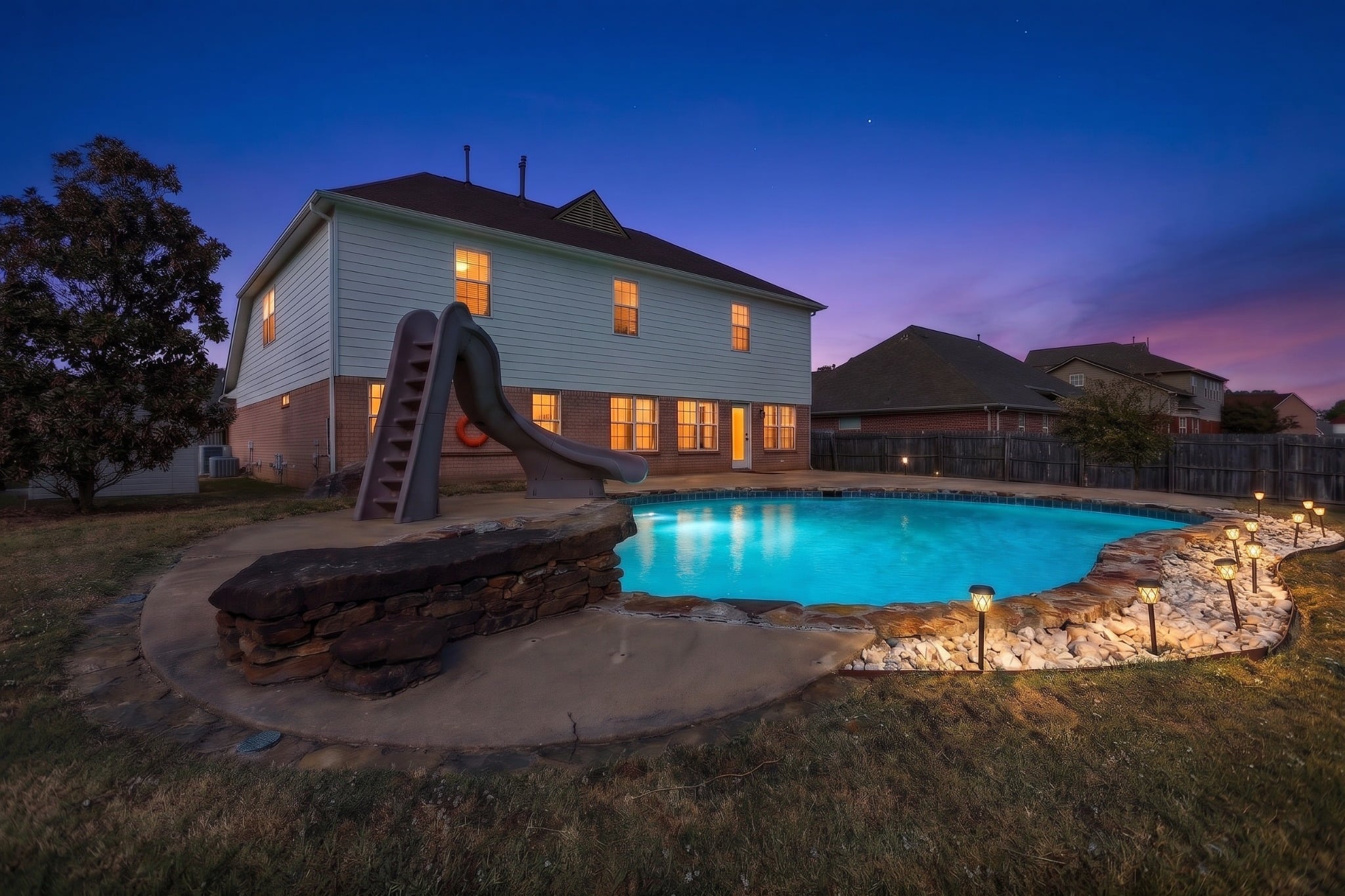
Twilight Photography & Synthetic Twilights
When does twilight photography add value to daytime images?
Photographs captured at dusk show the relationship between the evening sky, exterior lighting, illuminated windows, and outdoor spaces. They add an evening perspective to daytime photography, particularly when lighting, patios, pools, or the building’s exterior are important parts of the property’s appeal.
How are synthetic twilights different from actual twilight photography?
Synthetic twilights convert daytime exterior photographs into images with a twilight appearance. They add an evening-style image to the photography already captured without requiring another photography session. They provide an alternative presentation, while actual twilight photography records the property’s lighting and sky at dusk.
Virtual Staging
How does virtual staging help viewers understand an empty room?
An empty room can make its purpose and scale difficult to judge from a photograph. Virtual staging adds digital furnishings to help viewers picture how it could be used. Paired with the original photography, floor plan, or 3D tour, it connects the room’s potential with its actual layout.
How should virtual staging be presented alongside the actual space?
Identify virtually staged images as digitally furnished and pair them with the original photographs or a 3D tour. Viewers can then see a furnishing idea while checking the room’s actual features and arrangement. This keeps the presentation clear about what is physically in the property and what has been added to illustrate its potential.
Cinematic Property Tours
How does cinematic video support photography and a 3D tour?
A cinematic video connects selected views through movement and an edited sequence, helping viewers follow the property’s flow and notice features that still photographs introduce. It complements a photo gallery and gives you a guided presentation to share alongside an interactive Matterport tour.
Does a cinematic video replace a Matterport 3D tour?
They serve different purposes. A cinematic video follows an edited route to present selected spaces and features. Matterport lets viewers follow a guided walkthrough or explore independently, with dollhouse and floor plan views and measurement tools. A video introduces the property through a planned presentation; the 3D tour helps viewers investigate the layout and details that matter to them.
Reels & Slideshows
How do reels and slideshow videos support the full property presentation?
Reels and slideshow videos give you additional ways to share professional listing photographs and media. They introduce selected rooms and features in a sequenced presentation, bringing attention to the property and directing viewers toward the complete gallery, Matterport 3D tour, or property website for a closer look.
What is the difference between a reel and a slideshow video?
A reel is a short presentation suited to introducing a property in a social feed. A slideshow video presents a sequence of photographs, giving viewers another way to move through selected rooms and features. Both can direct attention to the full gallery, property website, or 3D tour, where viewers can explore further.
Reel Example
Slideshow Examples
Floor Plans
Why add a floor plan to photography or video?
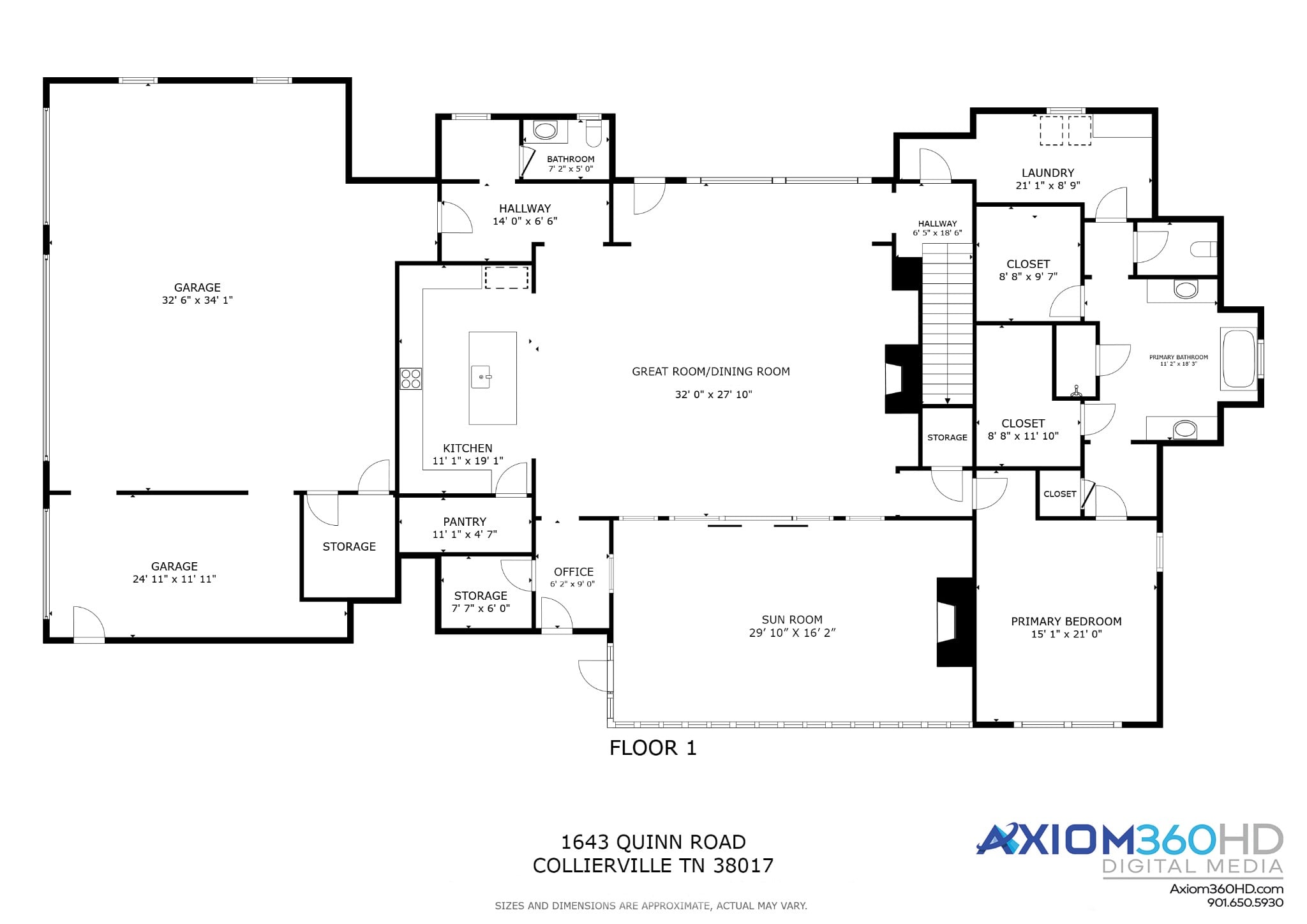
Photographs show individual spaces, while a floor plan gives viewers a reference for where those spaces sit and how they connect. It supports a gallery or video by making the layout easier to follow and gives viewers a quick overview alongside the more detailed exploration available in a Matterport tour.
Is a basic floor plan included in The Listing Kit?
Yes. The Listing Kit includes a basic floor plan without dimensions. It shows the property’s layout and how the rooms connect, giving viewers a reference to use alongside the kit’s photographs and videos.
What does the upgraded floor plan include?
The upgraded option provides a 2D schematic floor plan with dimensions, helping viewers understand room sizes as well as the property’s layout.
Social Media Marketing Kit
How does the Social Media Marketing Kit extend the use of listing photographs?
The Social Media Marketing Kit puts listing photographs and information to work across editable marketing materials, including teaser videos, reels, flyers, and a single property website. It helps carry the same property presentation across channels and gives viewers a place to continue from a social post to the full listing media.
Is the Social Media Marketing Kit the same as The Listing Kit?
No. The Social Media Marketing Kit provides editable marketing materials and a single property website using listing photographs and information. The Listing Kit is the broader bundle that combines photography and other property media with the Social Media Marketing Kit. The marketing kit is one component of that bundle.
Google Street View
How does Google Street View support a business’s 3D tour?
For business spaces, Google Street View extends the value of a 3D capture by helping people see the interior while researching the location. It supports commercial photography and virtual tours by giving prospective customers another way to understand the space and its setting.
The Listing Kit
How do the services in The Listing Kit work together?
The Listing Kit brings several services together for a coordinated listing launch: HDR photography, front and rear synthetic twilights, a Just Listed Reel, a Just Listed Slideshow Video, the Social Media Marketing Kit, a Cinematic Property Tour, and a basic floor plan without dimensions. Each piece serves a different part of presenting and sharing the property.
Choosing the Right Add-Ons
Start with the photography, 3D tour, or aerial views that explain the property. Then choose add-ons that fill a specific need: another perspective, a clearer layout, an illustration of an empty room’s potential, or a way to share the media with your audience.
Tell Axiom360HD about your property, the media you already have, and where you plan to share it. We can help you select add-ons that support your photography, Matterport 3D tour, or aerial photography throughout Greater Memphis.